
The Purpose of this article is to share a quick way to resolve a vulnerability named SMB Signing not required . In most of the cases , when information security team performs a vulnerability assessment than the system admins runs windows update manually or deploy them via SCCM . However for this vulnerability ,there is no specific patch as it needs some group policy configuration in order to close it .
Here are the relevant details .
Vulnerability Name : SMB Signing not required
Severity : Medium
Nessus Plugin ID : 57608
Solution:
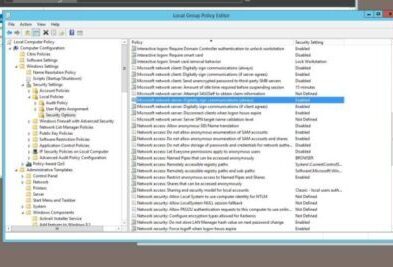
Enforce message signing in the host’s configuration. On Windows, you can find this in the policy setting ‘Microsoft network server: Digitally sign communications (always)‘.
On Samba, the setting is called ‘server signing’ and it is not covered in this document .
Procedure :
- If you are a system admin , Login to the Windows Server with admin rights and on run Prompt ,type gpedit.msc to open Local Group Policy .
- Browse to this Path : Computer Configuration\Windows Settings\Security Settings\Local Policies\Security Options
- Click on ‘Microsoft network server: Digitally sign communications (always) . By default ,this setting is usually disabled. Double click on it and change it to enabled.
- If you are not a system admin than you need to share these details with your system administrator in order to create a domain level policy for all the affected Servers .
You can ask information security team to perform another scan and this vulnerability will be resolved .
Please refer to the links below for more details .